Tools for download
MyTrader App Suite
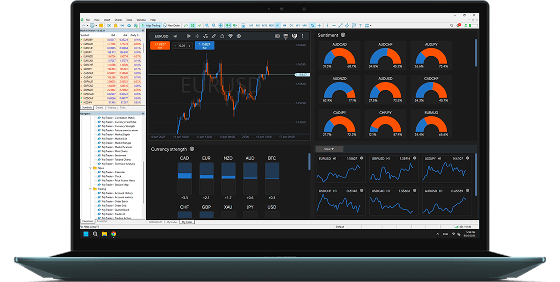
MyTrader App Suite gives you unrivalled trading power and information inside the MT4 and MT5 desktop client terminal.
What's in the MyTrader App Suite?
- Trade with visual control using Heikin Ashi, Renko, and Line Break charts. Sync timeframes, overlay studies, and customise your layout quickly.
- Manage trades precisely with a smart deal ticket featuring quick lot editing, templates, batch closing, and SL/TP calculators.
- Stay ahead with sentiment overlays, currency strength meters, and the Future Events Scanner for macro insights.
- Use integrated tools like pip, margin, and profit calculators, all accessible in your workspace.
- Create and switch between custom multi-panel views tailored to your trading style.
- Access over 30 smart widgets, including trade lists and economic calendars, whenever you need them.
- Share layouts with one click and automate trading with script triggers and alerts.
- Track your performance with real-time metrics and strategy tagging.
Supported Brokers
FX Blue's MyTrader app suite can be used with the MT4 and MT5 desktop client terminal from the world's largest and most popular brokerages. To use the app suite, open a demo or live account with one of the available brokers.
To download the App Suite, click on the broker where you have an account.Didn't find your broker? Contact us!